MC-101Foundation
It only runs while START is held.
Check the contact that keeps K1 on
8–12 minutesSign in to begin →MECHANICAL · FLUID POWER · MOTOR CONTROLS
44 full written courses across 18 subjects, 320 shorter topic lessons and 193 equipment assignments, including capstone practice. Keep the lesson and related practice side by side, with the original narrated videos where available.
Sign in with ChatGPT →Invited reviewers only. Use the email address approved for this trial.
Practice scores only.
This trial does not issue a certification.
YOUR FIRST TRIAL SESSION
Follow a short Foundation, Maintenance, or Automation path. Check your feedback connection, try real activities, save and reopen your work, and send a final review.
THE COMPLETE LEARNING CENTER
Read 355 full written lessons covering the complete maintenance program, including all 133 original lessons. Each new lesson includes explanations, a worked example, an exercise and knowledge checks. Existing narrated videos stay with their lessons, with placeholders for video and voice still to be produced.
Choose a starter fault, mechanical transmission problem, pneumatic motion fault or hydraulic power investigation.
Take readings, use them to find the fault, and check that your repair works. Starter cases, advanced investigations, field workshops, and mission lessons save to your account. Automation Studio programs save as files on your device. Other equipment cases save practice badges on this device.
Use Feedback inside the lab. Include what happened, what you expected and the device you used.
NEW / AUTOMATION + ROBOTICS
Work through 77 assignments, from basic setup to a complete production cell. Practice with variable-frequency drives (VFDs), PLCs, servos, and two styles of robot controller. Edit small programs, teach robot positions, watch the equipment move, and save your results.
NEW / MOTOR CONTROLS + AC
Start with an operator’s report, decide what to check, and test your idea in the simulator. Each of the eight missions ends with a review of what you found. Progress saves to your account. Course help is included, with an optional AI instructor.
THE TECHNICAL COURSES
Explore 320 lesson drafts across the full maintenance program: mechanical, pneumatic, hydraulic, electrical, controls, automation, robotics, fabrication and more. All 320 include an original short captioned video, a guided practice activity, a worked example, and a question to help you check your understanding. Equipment cases are linked where available.
Practice opening the simulated cabinet, checking isolation, and replacing a component. Then test the starter to check your repair.
Open service workshop →Read the operator’s report and equipment records, plan your tests, and watch readings change over time. Work through the component repair on screen, then check the result. The AC challenge includes a fault that comes and goes.
Open new workshops →Full written courses cover every subject. Original Electrical courses include narrated media. Other written lessons show planned video and voice placeholders. Short topic courses retain captioned briefs without audio.
ADVANCED STARTER / 15 INVESTIGATIONS
Find faults that stay present or come and go. Move seven individual control wires, replace modules on the bench, and check the full operating cycle. Reviewers can create repeatable jobs with one to three faults and download their results.
THE FIRST TRIAL
Check the contact that keeps K1 on
8–12 minutesSign in to begin →Separate a contact from its wiring
10–14 minutesSign in to begin →Distinguish command from response
8–12 minutesSign in to begin →Trace a series command path
8–12 minutesSign in to begin →Check whether START closes when pressed
8–12 minutesSign in to begin →Check the overload contact after reset
10–14 minutesSign in to begin →Use a known common reference
10–14 minutesSign in to begin →Diagnose voltage drop under load
12–16 minutesSign in to begin →Separate source input from converted output
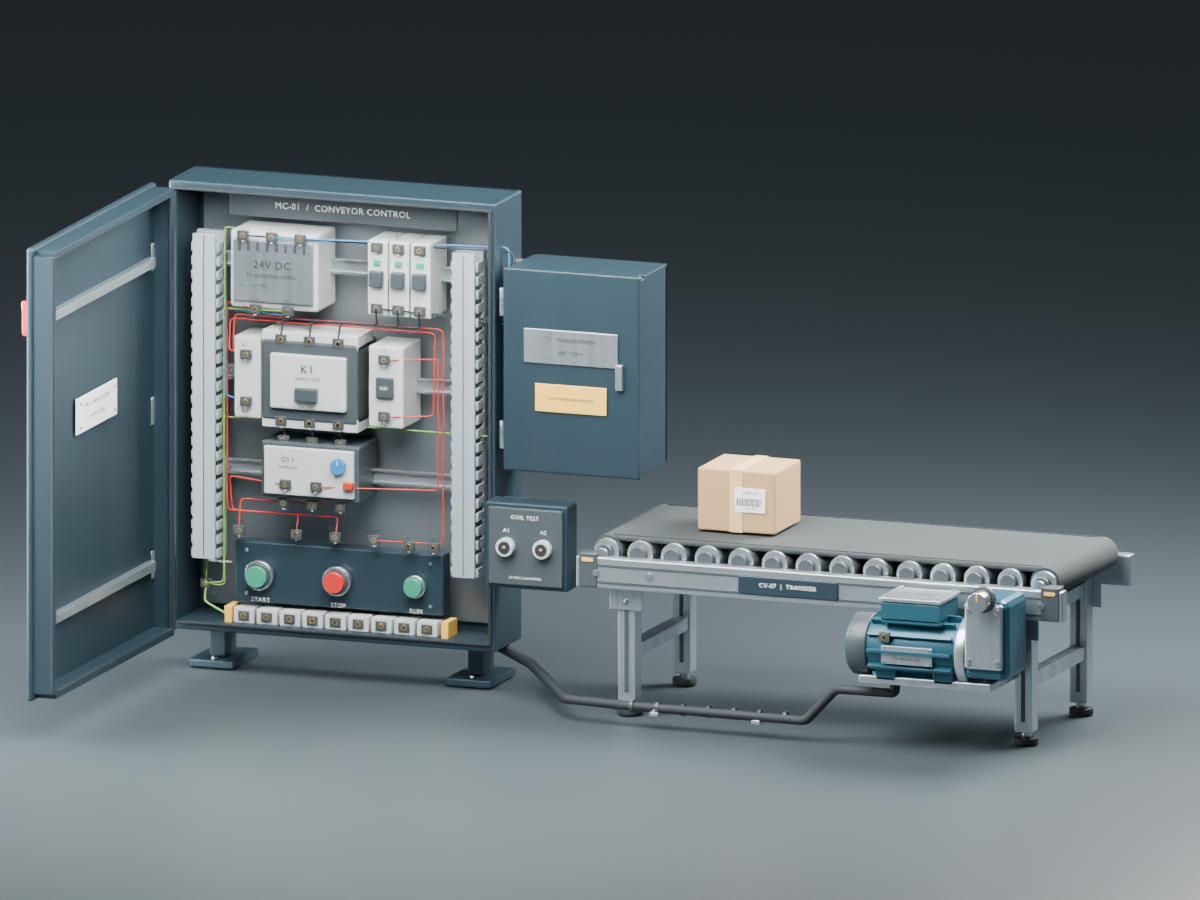
12–18 minutesSign in to begin →A fictional 480 VAC / 24 VDC starter, 55 test points, 9 fault scenarios, account progress and feedback collection. The equipment scene needs a WebGL-capable browser; the labeled static preview and circuit drawing remain available when 3D is unavailable.
AC measurements and motor-terminal access are available. A separate service-workflow prototype adds lockout checks and on-screen replacement. The 48 physical equipment cases calculate simplified mechanical, pneumatic, and hydraulic behavior under steady conditions. Detailed heating, rapid changes, network behavior, and formal skill assessments are still in development. Don’t include employer-confidential information in feedback.
Reports include your account email, assignment, selected rating, device description and comments. The project owner can review trial progress and reports to improve the training.